
EarMaster Cloud for Education Your students practice. You see every result.
Ear training, sight-singing and rhythm for schools, conservatories, choirs and studios. Students use the app on iOS, Android, Windows and Mac. You set the work and follow every score from the teacher app.
Used by thousands of music schools, with users in 200+ countries
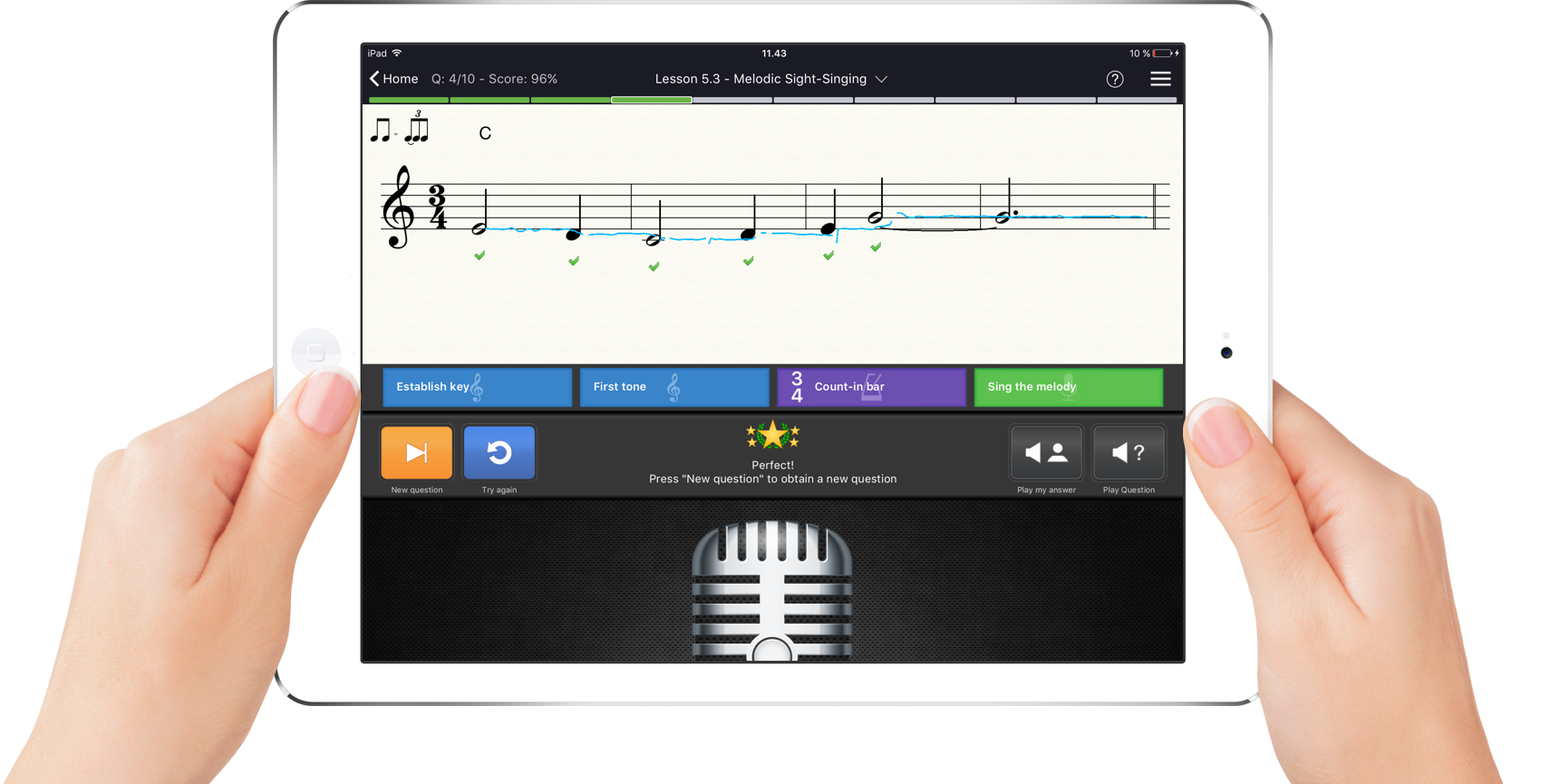
 Featured by Apple. Used at conservatories, universities and schools worldwide.

Made for the way you teach
See every student's progress at a glance
Give every student the app for practice at home and set an assignment for each class. EarMaster scores every lesson, so results are ready for you as soon as students finish, to follow their progress over the year and use in your own grading.
Aural training that follows your curriculum
Build workbooks that match your aural course, from interval singing to melodic dictation, and see where each student needs more work before the exam.
Most conservatories choose
Or Cloud Credits, if enrolment changes during the year.
Singers who read better at the next rehearsal
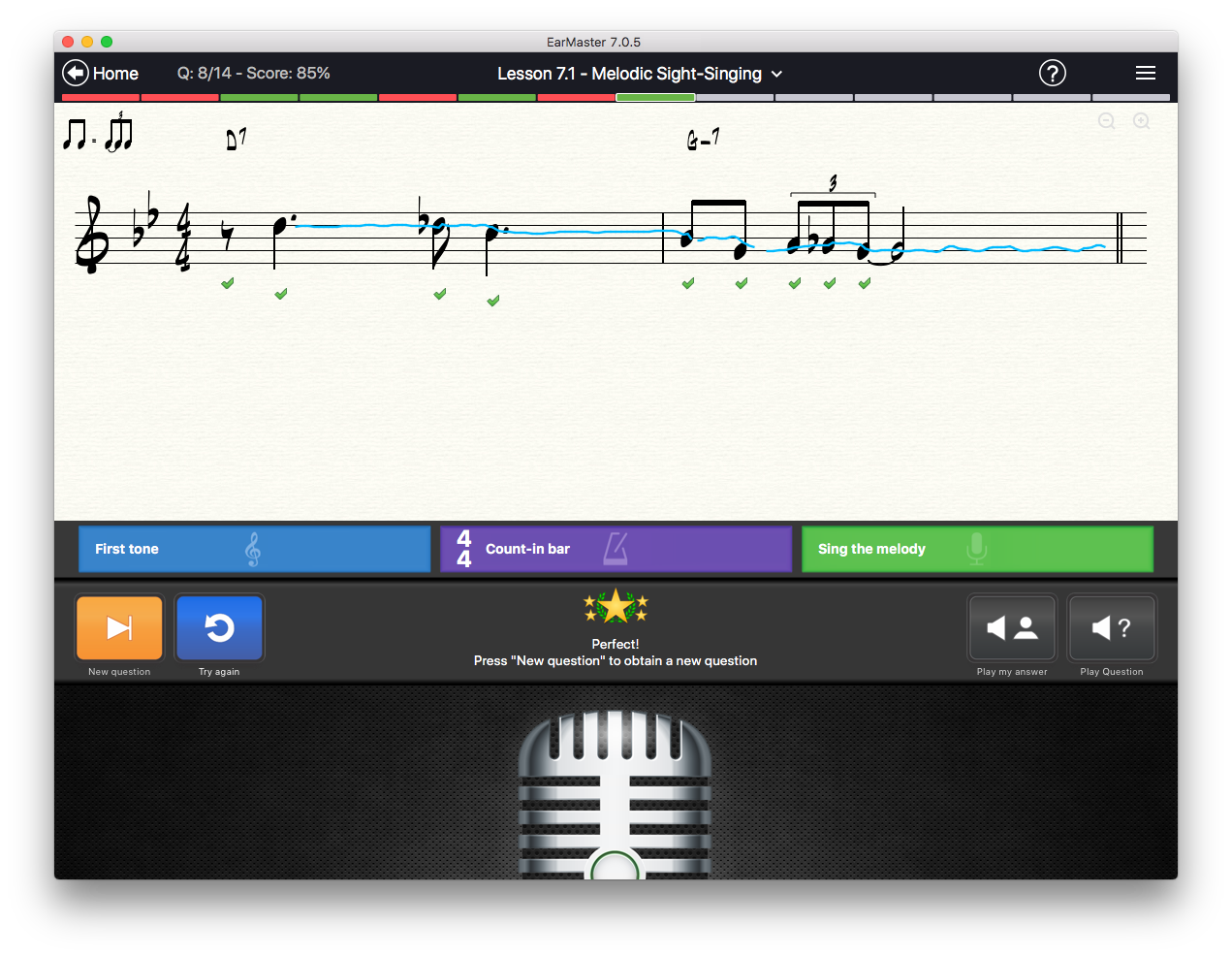
Singers practice sight-singing at home with instant feedback on pitch and rhythm, and you can see who has done the work before rehearsal starts.
Most choirs choose
Add singers as they join and switch them off over the summer. If your choir hardly changes, the annual subscription costs less per singer.
One place for all your students
Add students when they start lessons and remove them when they stop, with assignments and results for each one, whatever their level.
Most studios choose
Free for you: each student buys their own access. Prefer to pay yourself? Cloud Credits start at 5.
How it works in class
Teachers get everything in the student app, plus a teacher app for Windows and Mac. Most weeks look like this:
Create the exercises
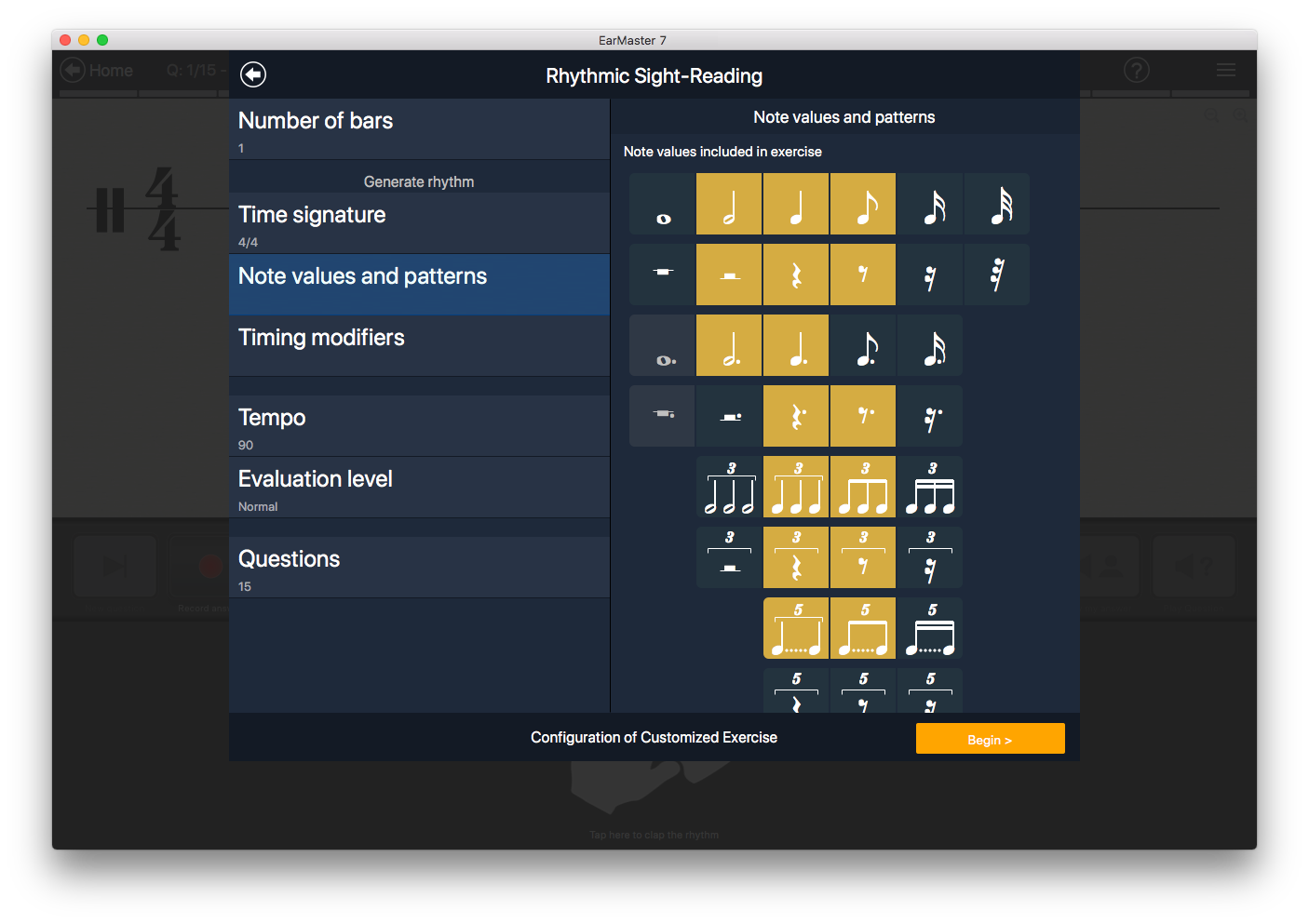
Build workbooks that follow your curriculum in the Workbook Editor, or start from EarMaster's built-in courses. Let EarMaster generate exercises from your settings, or use its library of 200+ jazz lead sheets and 400+ classical scores. Set a pass mark for each lesson, and send students back to practice if they fail a test.
Send them to your class
The Assignment Manager sends a workbook to a whole class or to single students. It shows up in their EarMaster app at school and at home, on any device.
Follow everyone's results
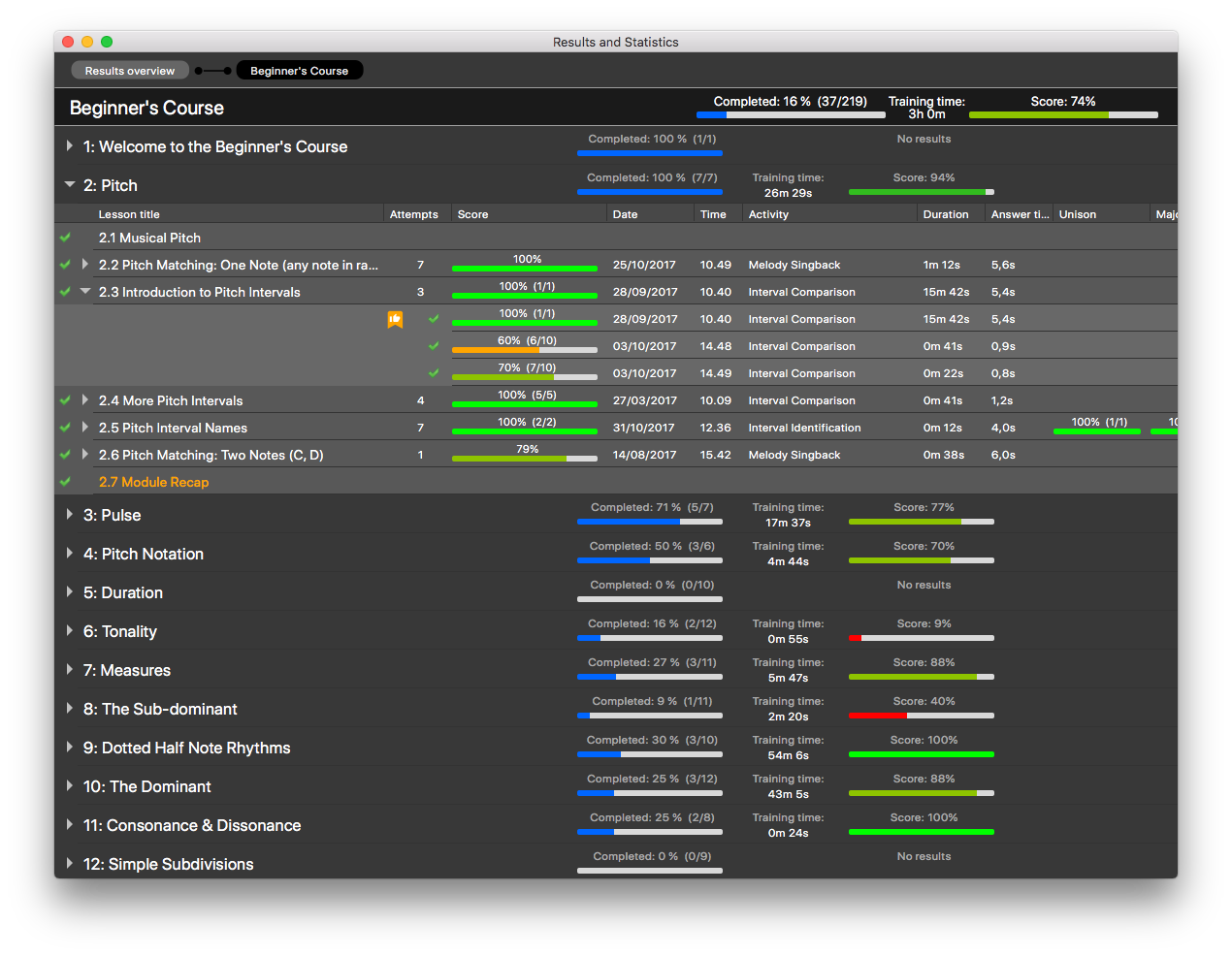
Scores reach Student Results in the teacher app after each lesson, as percentages. Filter by class, workbook or date, compare students lesson by lesson, and open a student to see every attempt. Then export what you see to a printable page or a CSV file for your own grading.
Also in the teacher app: a Music Library to store and edit the material used in your exercises, the online Admin Console to manage users and classes, and cloud sync for teaching at a distance.
What your students practice
14 activities in four topics, 4,000+ ready-made exercises, and feedback on every answer.
Intervals
- Interval hearing
- Interval singing
- Interval comparison
Chords and scales
- Chord hearing
- Chord inversions
- Chord progressions
- Scale hearing
Rhythm
- Rhythmic sight-reading
- Rhythm clapback
- Rhythmic dictation
- Rhythm error detection
Melodies
- Sight-singing
- Melodic dictation
- Melody singback
Exam prep included: Aural Trainer for UK Grades (grades 1–5), RCM Voice (levels 1–8) and Vocal Trainer, along with every other course in the app.
I needed a way to get students to practice sight singing regularly and on their own, and EarMaster has been very effective for that purpose. The program does a much better job of detecting and accurately evaluating singing than did the other software I had been using previously, leading to fewer complaints from students and, I think, better learning outcomes.
Plans and pricing
There are three ways to buy, and every one includes the same EarMaster. The difference is who pays, and how.
- Student app on iOS, Android, Windows and Mac
- Teacher app on Windows and Mac
- Every course in the app
- Online Admin Console
- New versions and updates
- Free, unlimited email support
Swipe sideways to see all three ways to buy.
Free for the school
Students pay
Best for: schools with no budget for software
- Monthly5.99$
- One-Year Pass49.95$
- Free school account
- Free teacher accounts: one for your first 5 students, then one for every 20 more
- Students join your class through an email invite
- From 5 students
Paid by the school
Annual subscription
Best for: classes that stay the same all year
- 5–9 users21.50$
- 10–19 users14.50$
- 20–99 users10.50$
- 100–399 users7.75$
- 400–999 users6$
- 1,000+ users5$
- The lowest price per user
- A fixed number of seats for 12 months
- Teachers cost the same as students
- Swap users anytime, up to your number of seats
Paid by the school
Cloud Credits
Best for: short courses, changing groups and small groups
- 5–9 credits26.50$
- 10–19 credits17.50$
- 20–99 credits13.50$
- 100+ credits9.50$
- Pay only for the days users are switched on
- Add, remove or switch off users anytime, even over the summer
- Credits never expire
- Costs more per user than the annual subscription: you pay for the flexibility
Not sure which to choose? Compare the plans in detail or ask us for a quote.
Choosing Cloud Credits? Work out how many you need
Credits are used a little each day for every enabled student and teacher, whether they practice that day or not.
Your classes
Other music classes at your school? Order for them together: the price per credit drops as the order grows.
You need
The minimum order is 5 credits, so the total is for 5.
Credits never expire. Unused credits stay on your school account.
Prices for schools in the EU include VAT.
Need a large, fixed amount? Credit Packs are also in our webshop.
Bring EarMaster to every class in your school
Compare the plans
Swipe sideways to see all three plans.
| Feature | Students pay | Annual subscription | Cloud Credits |
|---|---|---|---|
| Price |
$ |
$
$ |
$
$ |
| Teacher accounts | Free | Same price as students | Same price as students |
| Term | Each student's own subscription | 12 months | None: credits are used day by day and never expire |
| Add or remove users | Anytime | Anytime, up to your number of seats | Anytime |
| Summer break | No cost to the school | Paid for | Switch users off, no credits used |
| Minimum | 5 students | 5 users | 5 credits |
| Best for | No software budget | Stable classes all year | Short courses, changing groups, small groups |
Questions from schools
Can we try EarMaster Cloud before buying?
What's the difference between the annual subscription and Cloud Credits?
Do unused credits expire?
Are credits used when students don't practice?
What happens when our credits run out?
Can we use EarMaster for free?
Can students practice offline?
Do we need separate licenses for EarMaster Cloud and the EarMaster app?
Is everything included in the price?
Do you offer educational discounts?
Does a teacher license cost more than a student license?
Can licenses be reassigned during the term?
Does the license period have to be one year?
We only have a few students. What are our options?
Can I get a quotation?
How can we pay?
Is our students' data safe?
EarMaster is a member of




Try EarMaster Cloud with your class
Get a free trial for you and your students, or book a live demo with our team.
 English
 Chinese Simplified
 Chinese Traditional
 Czech
 Danish
 Dutch
 French
 German
 Hungarian
 Italian
 Japanese
 Polish
 Portuguese
 Russian
 Slovene
 Spanish
 Turkish